
Containers
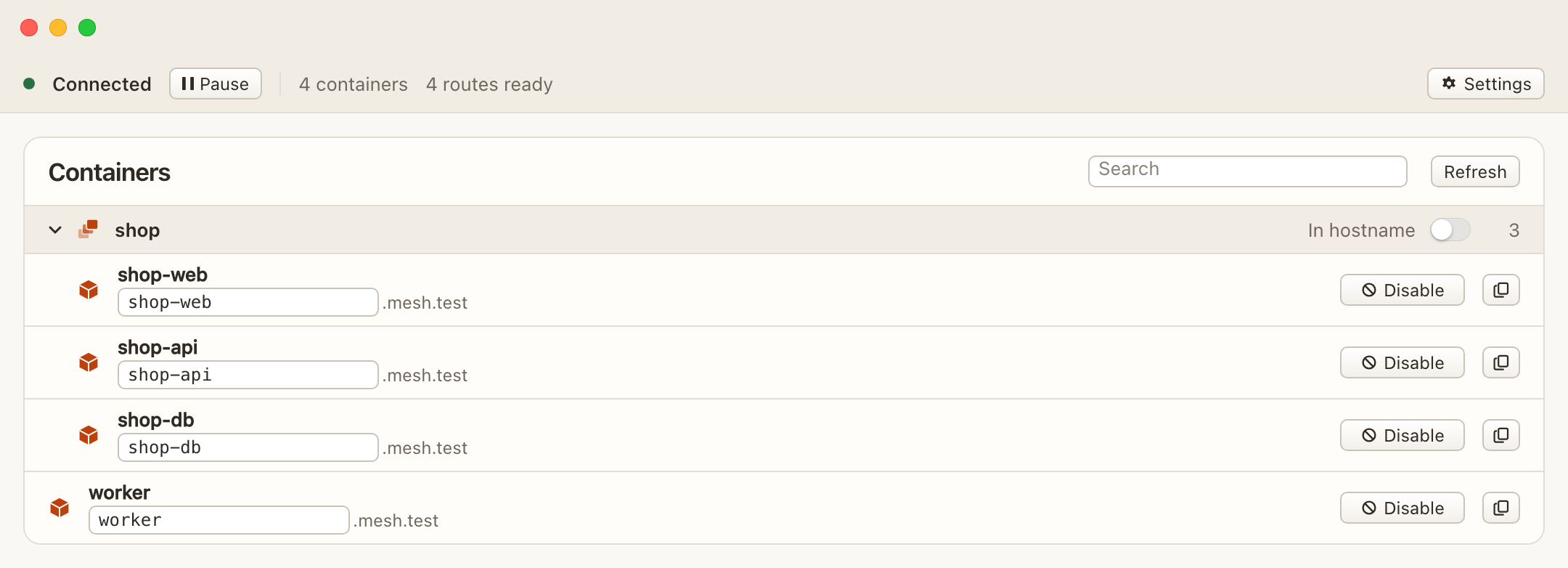
The window lists containers that are running. Start one in Docker Desktop and ContainerMesh finds it. You do not pick a Compose project first.
Search matches a container, a stack, or a published name, and it ignores case. Compose stacks can be collapsed. While a search is active, matching stacks stay open.
Each row
A published row shows the name and Copy. Copy uses the published name when the name is on, and the container name when it is off. Disable unpublishes that container. Enable publishes it again.
The status line counts the containers in the list and how many are ready. Ready means the connection can use that container. It is not a health check of the application inside it.
- Waiting means the name is published and the connection is still coming up.
- Paused means the name is published and networking is paused.
- DNS off means the name is not published.
An empty list says there are no running containers, or that the connection is still being prepared. Start a container in Docker Desktop and the list picks it up.